
The Windows installers can be used to install or update Saladin. Windows 7 or newer is required.
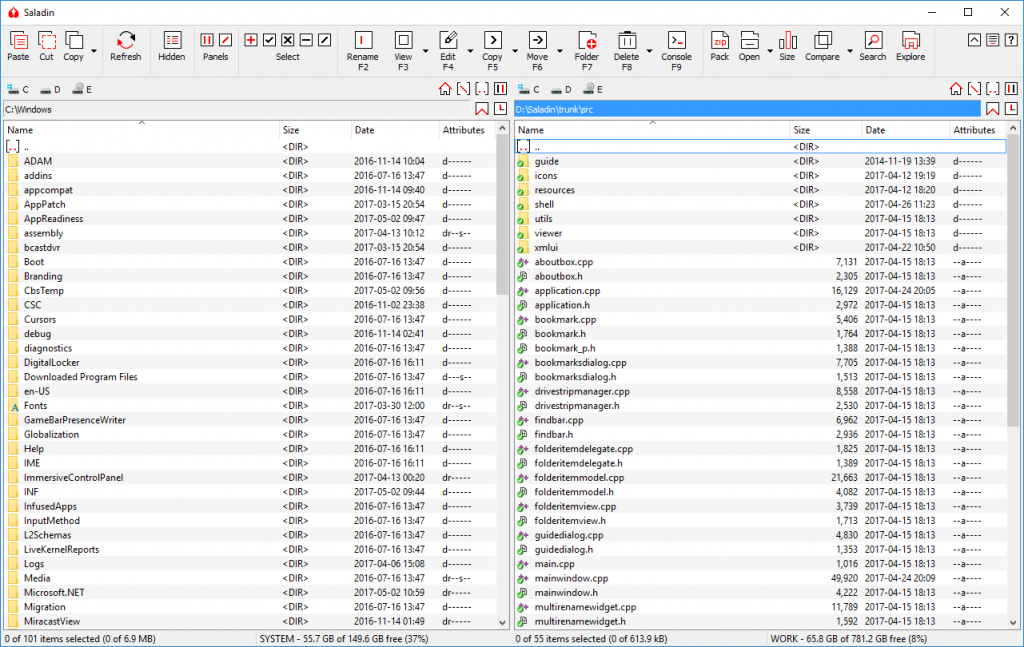
Saladin is an open source dual-pane file manager for Windows which merges the capabilities of Windows Explorer with the well known and easy to use orthodox user interface. Saladin supports both 32-bit and 64-bit versions of Windows.
Features
- Fast and easy to use dual pane user interface
- Full integration with Windows Shell
- Built-in viewer for text files, binary files and images
- Browsing the contents of ZIP archives
- Basic support for FTP connections
Download
Saladin is free software licensed under the GNU GPL v3 license.
News
Saladin 1.0 released
Version 1.0 of Saladin is available for download. The most important and visible change is a completely redesigned, modern user interface, which includes a new toolbar layout, new icons drawn by Łukasz Grabowski, dark and white themes and a compact mode in which the toolbar is collapsed into a menu bar. Now you will have more room than ever for working with your files.
You can see a presentation of the most important new features in this video created by Łukasz Grabowski: